• Home
  • Online Courses
    • Simple Self-Contained Setup 101®
      • Success Stories
    • Simple Centers System
    • Course Member Sign In
  • Shop Now
    • Shop Now
    • Free Resources
    • Gift Cards
    • Cart
    • Purchase Orders
    • School Licenses
    • My Account
  • Free Webinars
  • Blog
    • Academics
      • Adapted Books
      • Comprehension
      • Cooking
      • Crafts
      • ELA
      • ESY
      • Fine Motor
      • Life Skills
      • Math
      • Occupational Therapy
      • Science
      • Sensory Bins
      • Social Emotional Learning
      • Social Skills
      • Social Studies
      • Speech Therapy
      • Task Boxes
      • Vocabulary
      • Writing
    • At Home Learning
      • Digital
      • Remote Learning
    • Behavior
      • ABA
      • Communication
        • AAC
      • Data
      • Schedules
      • Visuals
    • Simple Classroom
      • Back to School
      • Book Recommendations
      • Classroom Setup
      • Freebies
      • IEP
      • Inclusion
      • Inspiration
      • Organization
      • Paraprofessional
      • Remote Learning
      • Seasonal
        • Fall
        • Winter
        • Spring
        • Summer
    • Tot School
  • Classroom Tours
    • Self-Contained
    • Speech
    • Preschool
    • Elementary Autistic Support
    • K-2
    • K-2 (Socially Distanced)
    • K-4 (Tiny Room)
    • 1-4 (Life Skills)
    • 2-3 (ABA)
    • Middle School
    • High School
    • High School (Life Skills)
    • Multiple Disabilities
  • New Teachers
    • Join My Online Course
    • First Year
    • Interviews
    • Job Search
  • Grade Level
    • Preschool
    • Primary
    • Elementary
    • Middle School
    • High School
  • More…
    • Meet Alyssa
    • Meet Our Bloggers
    • Collaborate
    • Guest Blogging
    • Contact Me
    • Disclosures
    • Facebook
    • Instagram
    • Pinterest

Simply Special Ed

Resource Downloads & Teaching Advice

Academics Blog Elementary Task Boxes

How To: Activity Rotations in the Multiple Disabilities Classroom

How To: Activity Rotations in the Multiple Disabilities Classroom

Hello everyone! I want to talk about using a task system in the multiple disability classroom. You may wonder “What does that look like?” or “I’m not sure my student can work independently.” That’s okay! We can find work that can be done at independent level for all students and I’d to show you how I do that. So, here is how to set up an activity rotations in the multiple disabilities classroom.

Do I Have To Use Task Boxes?

Absolutely not! Task boxes do not work with all students. Especially if they have mobility issues. A task box system often requires a student to look at a mini schedule, grab their task box, open it, complete the task, put it away, and move on to the next task. Many of our students would love to do that, but are not physical able to at this time. I use task activities instead. To me, these are certain activities that the student has mastered or serve a very specific purpose. I have some students with visual impairments, sometimes that activities purpose is to increase engagement.
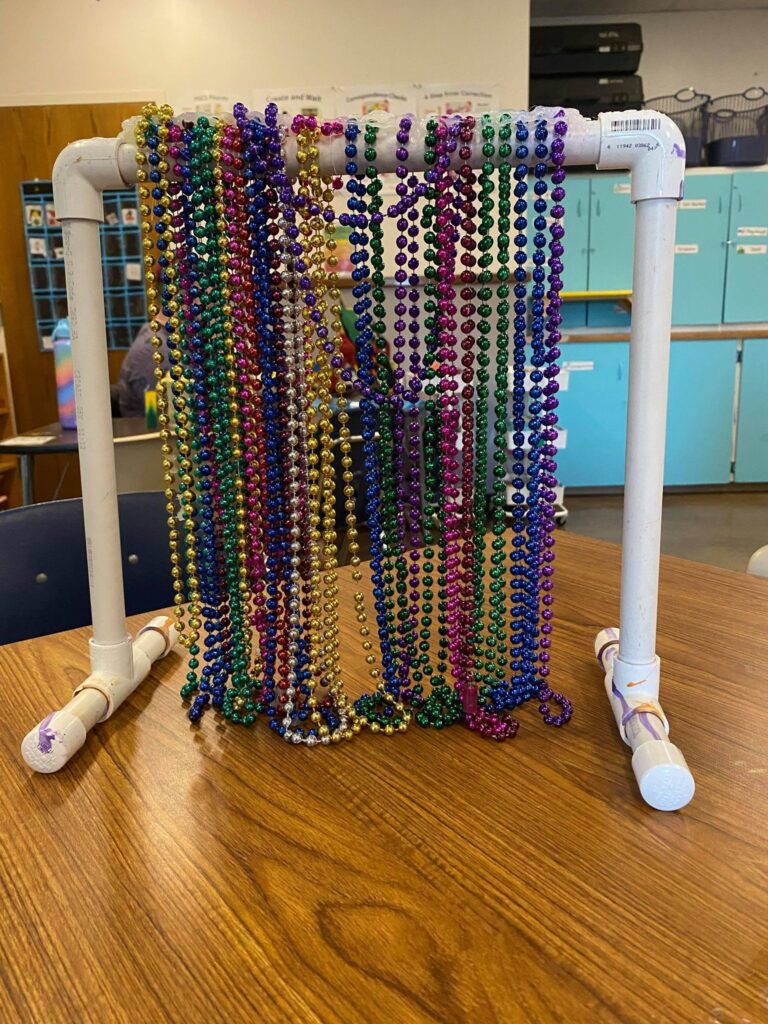
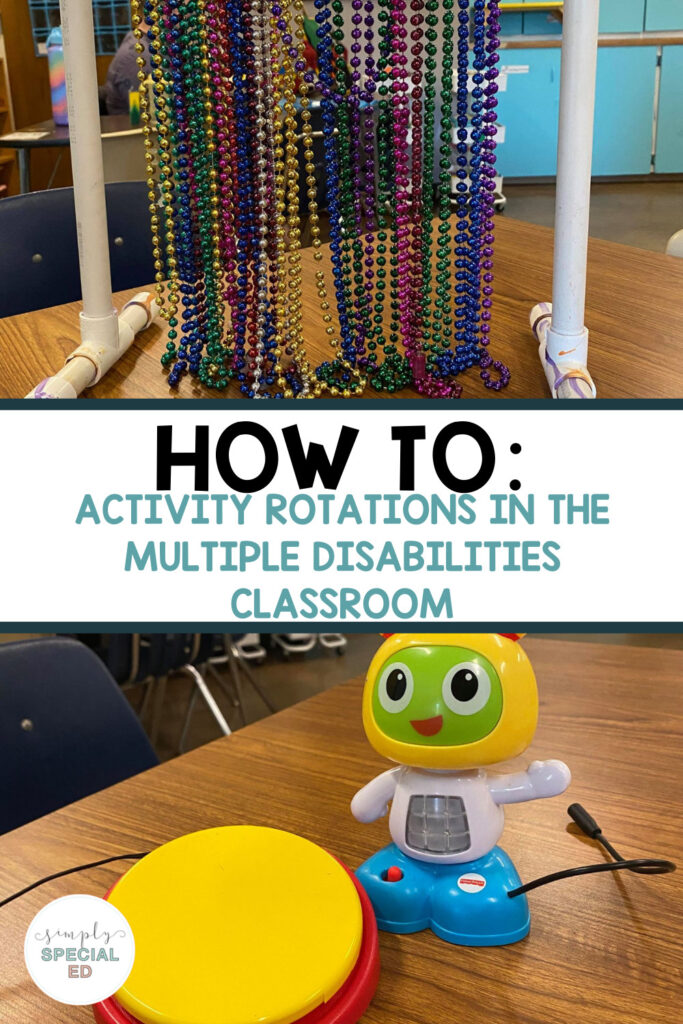
bead bar with multi colored beads
You can see how to make a bead bar here.

The type of activity shown teaches a student how to interact with an activity independently. It’s super high interest. It has lots of interest features involving sound, texture, and color.

What does the this look like?

Good questions! I start by assigning my students activities via picture symbol on a black laminated paper with velcro.
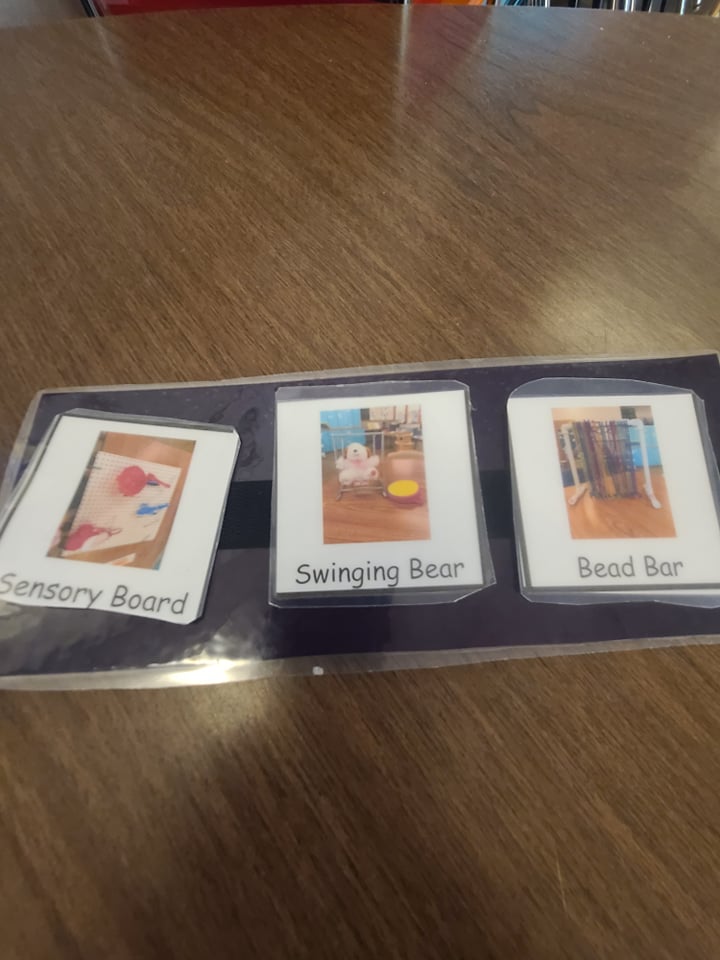
mini schedule images
This student has 3 activities they have to complete.
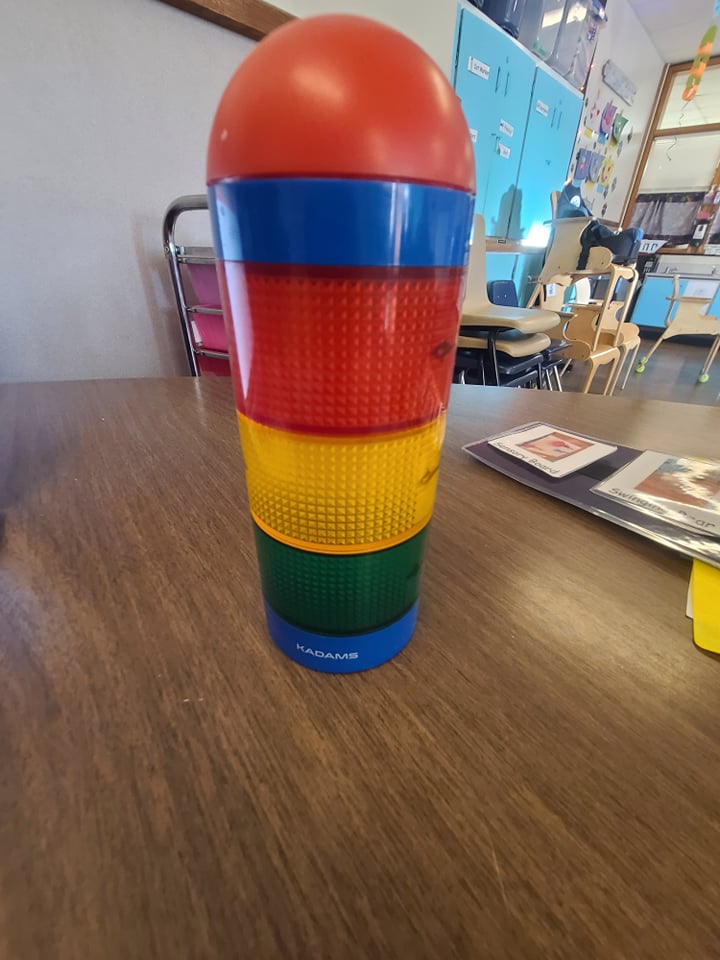
3 colored timer
I use this timer and set it for fifteen minutes. The student is at the activity for that long. When the time goes off we switch.

I use a timer to set the length of each activity. I normally have them do fifteen minute rotations. You can get a timer like the one I have here. I pair this with a token board that uses three tokens. At the beginning of each work period the students choose what they want to do when they are done with their work. Are your students visually impaired? No problem. Read this article by Alyssa to see how to make a tactile token board.

I move the objects to my students and I use a clamp to secure large items to the table. If you would like to see how made these items, I highly recommend reading the path to literacy website. I got all of my ideas, besides the switch toys, from reading the sections about students with multiple disabilities.
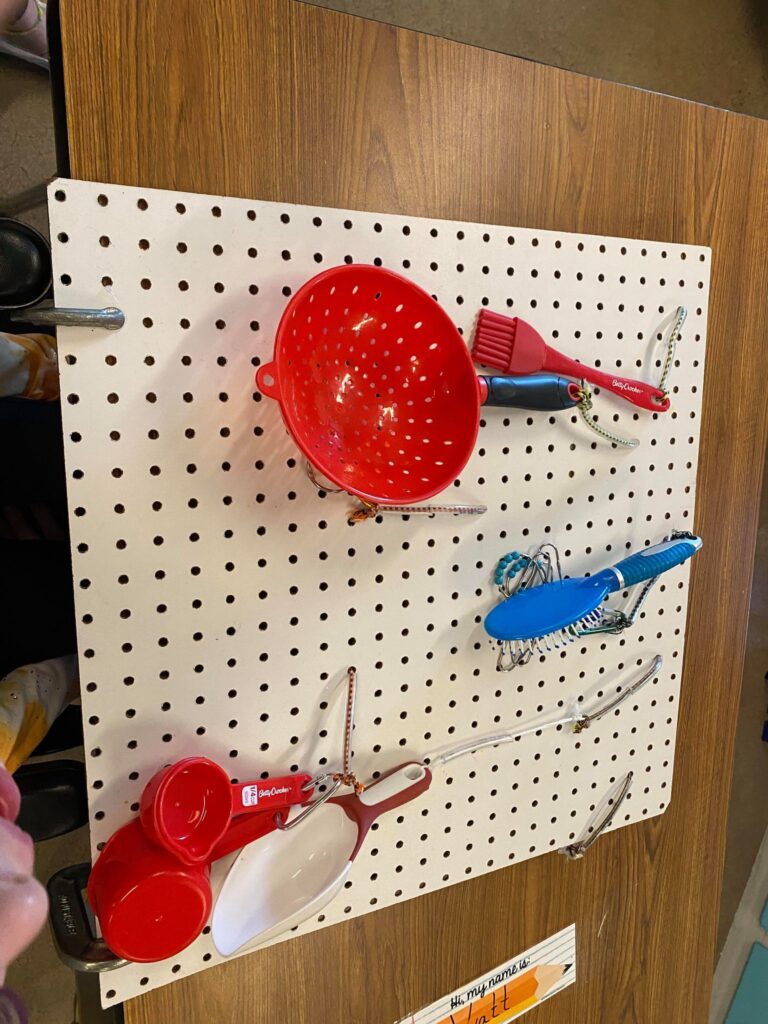
activity board with household items for rotations
This activity board is theme with house hold objects to increase interaction and teach common items.
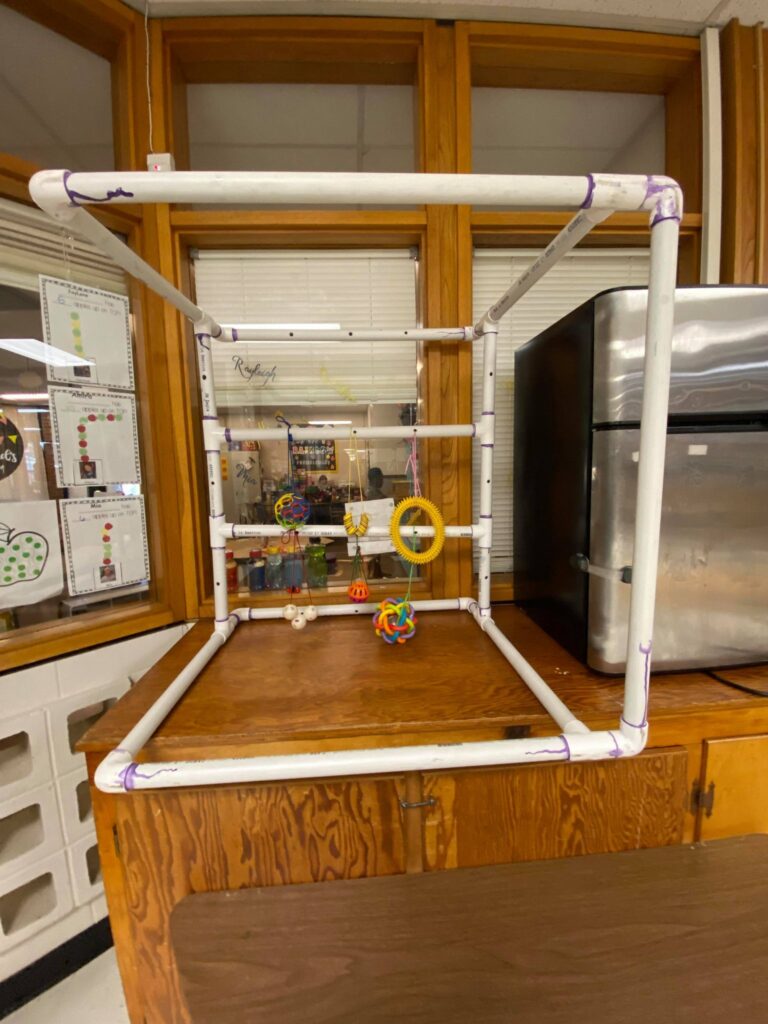
activity frame for rotations
This frame is put over a student to increase reaching and selecting objects.

I hope the post helped you figure out how to implement a structured activity rotation in your multiple disabilities classroom. Let me know if you would like to see me make a tutorial for making on of these items. Thank you for reading How To: Activity Rotations in the Multiple Disabilities Classroom.

Stephanie
Stephanie
How To: Activity Rotations in the Multiple Disabilities Classroom
Share
Pin


« 5 Important Skills that Cooking in Special Education Promotes
The Best Books about St. Patrick’s Day »
Hi amazing teachers!
I'm Alyssa Shanahan -- a former Elementary Special Ed & Life Skills teacher. My classroom focus was always to keep things simple, increase communication, and build independence. Simply Special Ed's goal is to help teachers and students reach their full potential in and out of the classroom!

Sign up to receive exclusive tips,
free resources, and more!

Recent Posts

FBA's in Special Education

FBA’s in Special Education: What Are They and How Do You Do Them? (A Guide for Special Education Teachers)

10 Transition Tips for Special Education Classrooms

How to create a calm corner that actually get used

Setting Up Centers for Your High School Classroom

Visual Tools for Self-Contained High School

A Course that Changed the Way I Setup my Classroom

Copyright © Simply Special Ed 2026 · Design by Fancy Girl Design Studio

Copyright © 2026 · Simply Theme on Genesis Framework · WordPress · Log in

We use cookies to ensure that we give you the best experience on our website. If you continue to use this site we will assume that you are happy with it.