Social-emotional learning is important for all students. This is especially true for Special Education students who may have difficulties regulating their emotions. In my teaching experience, I used three different social-emotional curriculums. Read on to learn about the positives and negatives of each!

The Positivity Project
Overview
I was introduced to The Positivity Project at a former school where I taught general education.
The Positivity Project is a PK-12 program that focuses on a character trait each week. The teacher introduces the trait by showing a “character card”.
They can then go through a few slides that are provided by the curriculum with the students and lead class discussions and activities that go along with them.
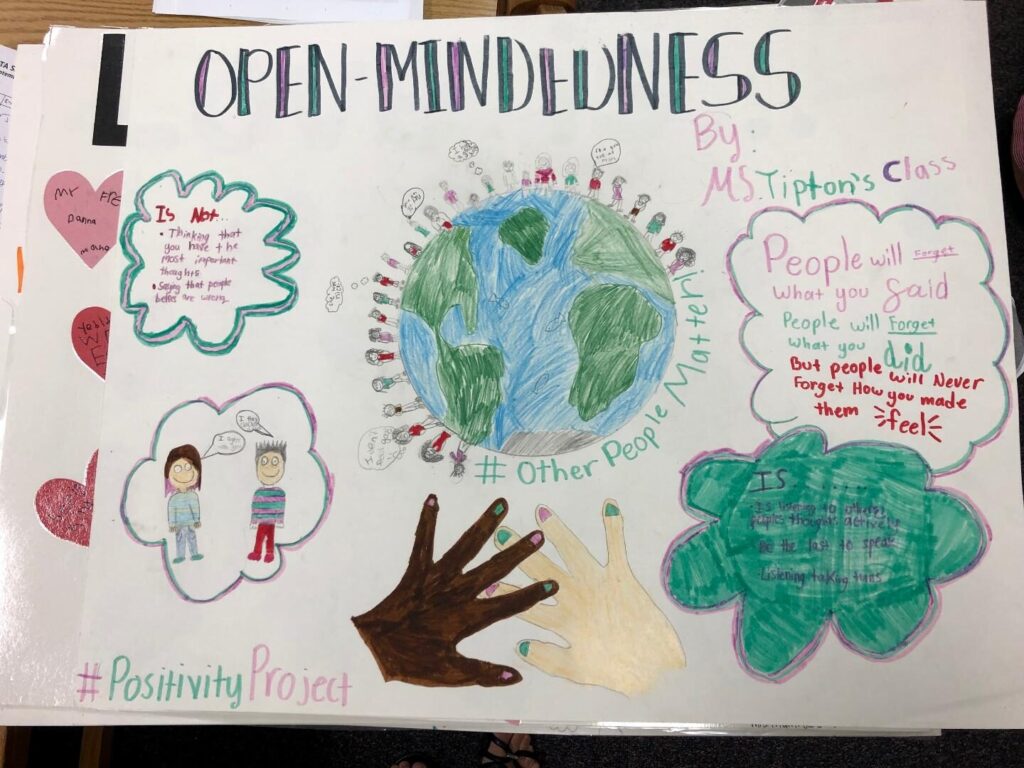
The image below shows an example of an elementary school (Forest Edge Elementary in Reston, VA) completing a Positivity Project activity on the character trait of open-mindedness.
When using this curriculum, I fit it into my daily snack time.
Positives
The thing I liked most about the Positivity Project was how easy it was to fit into my day-to-day schedule. The slides, lessons, and activities at most took 10-15 minutes.
I also liked the character trait cards. I hung them up on my word wall every week. This showed students that this type of learning was just as important as academic learning.
The idea of focusing on a character trait each week made it easy to hone in on that trait all week. I would keep an eye out for students who were doing a great job of showing that trait in real life.
I also love how teachers can access so many of the curriculum resources for free! The resource library has tons of free things to access, such as the character cards, PD materials, etc.
Negatives
I don’t have very many negatives for this curriculum! I believe it is easy to use with both general education and special education students.
The only negative/difficult thing would be that the lessons and activities may require some adapting based on your students.
However, I think there are enough resources on the website that you could easily choose an activity that is more appropriate for your students.
Navigate 360
Overview

I used Navigate 360 at a former Special Education behavioral school where I taught.
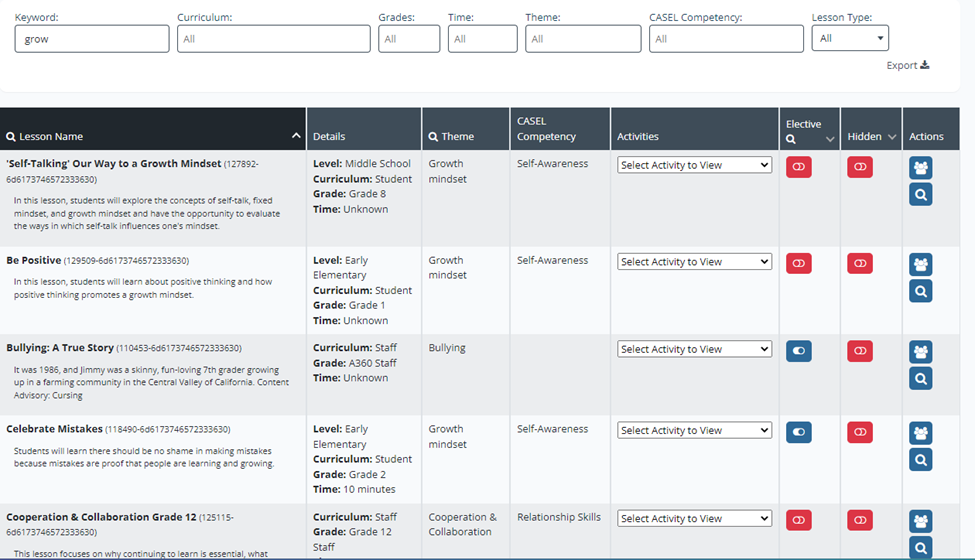
Navigate 360 is broken down by different age ranges and topics. I was teaching a combined 3rd and 4th grade 6:1:1 class when I used it, so I would choose the grade 3-5 resources.
The image below shows example lessons for different grade levels.
I would follow a schedule of what lesson to do with my students that aligned with what they did in group counseling.
For example, if they discussed being a good friend, I would go through the grades 3-5 lesson on friendship with them. The lessons consisted of me reading some text to students, playing some videos, looking at images, and having group discussions.
Positives
I like how easy it is to locate the different resources and lessons on the website. I also feel that the topics are age appropriate and facilitate good class discussions.
Negatives
My one complaint about this curriculum was that I do not feel it is very engaging for students. It is very text heavy, and only really involves the students listening and occasionally participating in a discussion and answering questions.
For students with behavioral needs, it can be more difficult to keep their attention. I do not feel that this social-emotional curriculum achieves that with Special Education students.
MooZoom
Overview
Of the three social-emotional curriculums I was introduced to, MooZoom was my favorite!
MooZoom is a series of interactive videos for students. Just like the other curriculums, it is broken down by grade level and topic.
Teachers can choose a topic and play the video. The videos have kids acting out different scenarios related to the topic.
Instead of it being just a regular video, it will pause throughout and ask the students, what should he/she do in this situation? It will then give the class two options, and they can decide.
Whichever one you click on will play out that exact decision with the given scenario. If they do not choose the positive/appropriate way to handle the situation, it will give them the option to choose again after the “wrong way” is shown.
Along with the video lessons, Moozoom also includes mindfulness activities, as well as a daily mood check in. You can enter in the names of your students and have them answer how they are feeling today by choosing an emotion.
This is shown in the image below.
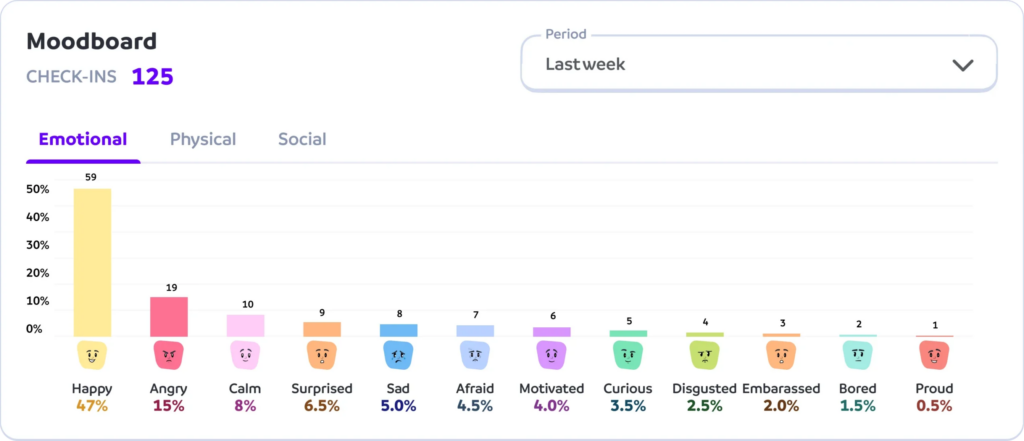
It will also ask them what caused them to feel that way, something at school, something at home, or something else? It will create a graph of the emotions, which can be tied into a math activity!

Positives
This curriculum is so engaging! My students loved how interactive it is and that they were able to “choose” the outcomes of the students in the videos.
The videos are funny and had my students laughing out loud. They also loved the daily mood tracker!
It is very easy to fit into a typical day. I used MooZoom during the last period of the day, when my students were tired. It is easy to pull up the website on a SmartBoard and put on a video.
I also loved that it required zero prep. I even sometimes chose a video based on that particular day. For example, if the students were fighting in gym over winning/losing, I could choose a video about being a good sport.
Negatives
I really don’t have any negatives about MooZoom!
My only suggestion for them would be to include younger student actors so younger kids could relate, as most of the videos looked to be middle school aged children.
Hopefully you are able to implement social-emotional learning at your school! It is very important and can help students deal with difficult emotions.