Looking for a way to help your classroom centers run smoothly? Utilizing visuals makes a huge impact on student success! Keep reading to find out how to use visuals to support your learners during center rotations!
Why Centers Are Important
Special education classrooms thrive when they run on centers! (If you need more info about setting up centers, check out this post!) Centers help our students build independence. As students rotate through centers, they will stay engaged as they complete a variety of activities. The built-in movement break as they rotate is another perk!
Teachers benefit from running centers, too! Centers allow you to provide targeted instruction to all students. I love that centers enable me to provide direct instruction to every student, every day, which is something that can’t always happen in a whole-group focused classroom. Centers provide great opportunities for taking data on student progress. And, I am able to give my students a variety of learning opportunities as they move through their daily rotations.
Using Visuals With Centers

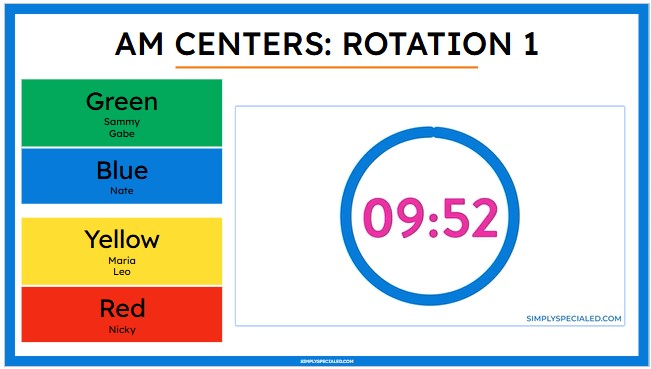
Incorporating visuals into your centers routine helps your routine run smoothly! One way to use visuals during centers is by projecting rotation slides on your board. These slides show everyone exactly where to go when rotating.
A visual timer –either a video on the slides or a physical timer — helps keep everyone on track! Teachers and paras will know how much time is left at their station, and students will have a cue to know when to switch. Once students are accustomed to their center routines, you will find that they love to help out by changing slides and setting the timer for you!
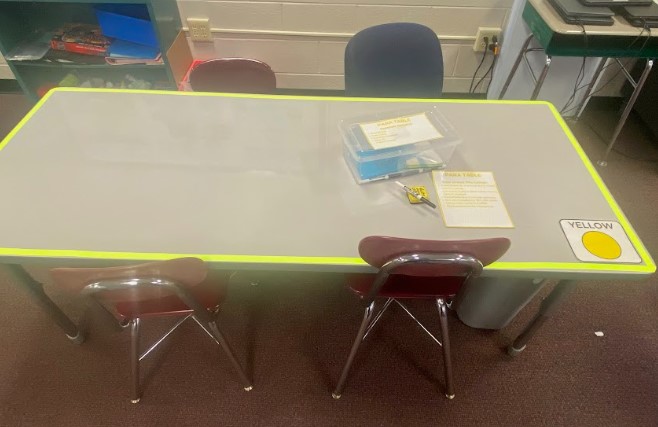
Color-coding your center areas is another helpful visual. Using colorful duct tape to outline each table helps students to know exactly where to go for each center. All they have to do is follow their schedule (or the slides on the board) and find the color-matching table!
Centers Token Boards
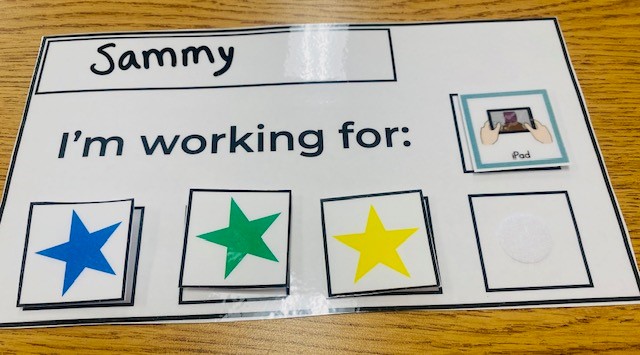
Individual student schedules and token boards are another way to support students during centers. With individual schedules, students will follow a simple list that shows them exactly which centers they will go to, in order. When students get to each center, they will check-in and get a token on their board.
After completing all of the parts of their centers schedule, each student earns a reward. Using individual schedules builds independence and accountability. Token boards keep students motivated to work towards their reward!
You can find all of these visual resources and more in the Simple Centers System course!
Tips for Center Success!
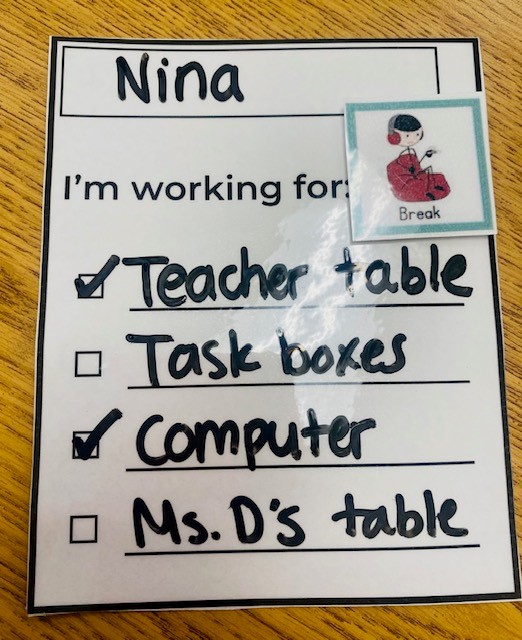
Implementing centers can seem daunting at first, but using visual aids will make the process so much easier for you and your students. Color-coding and using schedules helps everyone know exactly where they need to be.
Another important tip for centers is to remember to model your routines and practice them! When first introducing centers, it is important to explicitly teach students and support staff how they will work in your room. Once your routines are set, make sure to practice them to help everyone understand the process. After a few days of intentionally practicing routines, students will start to understand how they work and begin to navigate with more independence. Student independence is always the goal! And don’t forget to reward students when they fill their token boards!
Centers are such an important part of the classroom routine, and using visuals will help set your students up for success! Have any questions about implementing centers in your classroom? Drop them below!