• Home
  • Online Courses
    • Simple Self-Contained Setup 101®
      • Success Stories
    • Simple Centers System
    • Course Member Sign In
  • Shop Now
    • Shop Now
    • Free Resources
    • Gift Cards
    • Cart
    • Purchase Orders
    • School Licenses
    • My Account
  • Free Webinars
  • Blog
    • Academics
      • Adapted Books
      • Comprehension
      • Cooking
      • Crafts
      • ELA
      • ESY
      • Fine Motor
      • Life Skills
      • Math
      • Occupational Therapy
      • Science
      • Sensory Bins
      • Social Emotional Learning
      • Social Skills
      • Social Studies
      • Speech Therapy
      • Task Boxes
      • Vocabulary
      • Writing
    • At Home Learning
      • Digital
      • Remote Learning
    • Behavior
      • ABA
      • Communication
        • AAC
      • Data
      • Schedules
      • Visuals
    • Simple Classroom
      • Back to School
      • Book Recommendations
      • Classroom Setup
      • Freebies
      • IEP
      • Inclusion
      • Inspiration
      • Organization
      • Paraprofessional
      • Remote Learning
      • Seasonal
        • Fall
        • Winter
        • Spring
        • Summer
    • Tot School
  • Classroom Tours
    • Self-Contained
    • Speech
    • Preschool
    • Elementary Autistic Support
    • K-2
    • K-2 (Socially Distanced)
    • K-4 (Tiny Room)
    • 1-4 (Life Skills)
    • 2-3 (ABA)
    • Middle School
    • High School
    • High School (Life Skills)
    • Multiple Disabilities
  • New Teachers
    • Join My Online Course
    • First Year
    • Interviews
    • Job Search
  • Grade Level
    • Preschool
    • Primary
    • Elementary
    • Middle School
    • High School
  • More…
    • Meet Alyssa
    • Meet Our Bloggers
    • Collaborate
    • Guest Blogging
    • Contact Me
    • Disclosures
    • Facebook
    • Instagram
    • Pinterest

Simply Special Ed

Resource Downloads & Teaching Advice

AAC Blog Elementary Uncategorized

3 Ways To Use The Tap-It

3 ways to use the tap it

I am so lucky to have a Tap-It in my classroom. Do you have access to a Tap-It at your school? I have often been asked what are the best ways to use a Tap-It, especially with my population of students. Today, I am going to talk about 3 ways to use the Tap-it in the classroom. 

What is a Tap-It?

If you don’t have access to one or are interested in getting one, I wanted to explain what a Tap-It is. A Tap-It is a large touch screen that is fully motorized. The height and angle of the screen are completely adjustable with buttons found on the side. It also has an intuitive touch screen, it can detect the difference between an arm on the screen or a purposeful touch. In short, it’s a great tool!
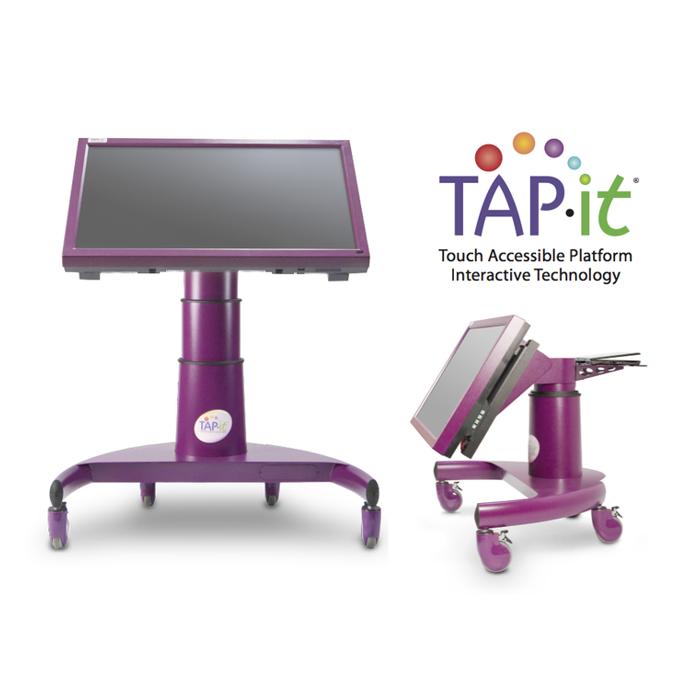
image of a large touch screen device on wheels that is purple.
Here is the Tap-It I have in my classroom. You can look at the website here.

Boom Cards

I love to use the Tap-It as a learning center in my classroom. One of the ways that I do that is with boom cards. I love that the screen is large and students can actually see the activities on the screen. There are many CVI friendly Boom Cards for so many skills that you can put on the Tap-It.  My students love Boom Cards because they feel like games. 
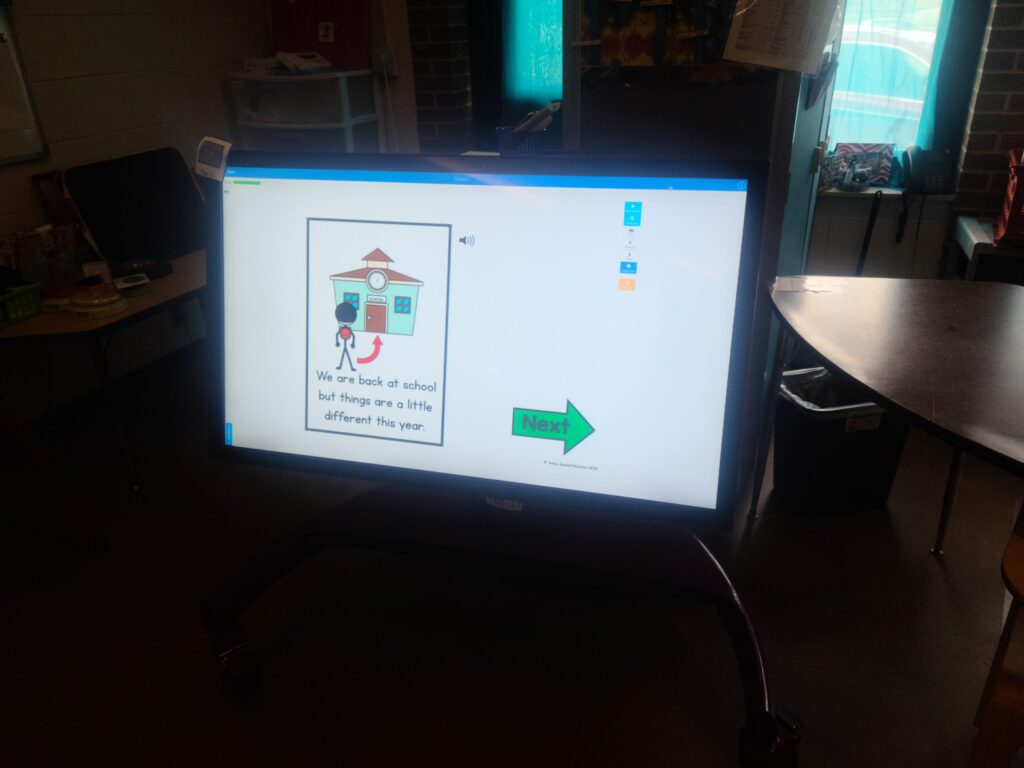
Image showing boom cards on the tap it
Here is a set of boom cards in action! These are from this set you read about here.

PDF Activities/Unique Learning Systems

I love to use the Tap-It for PDF activities like the SSE Comprehension Bundle. I will use any virtual activity I can on the Tap-It actually.

TeachSmart - Touch Accessible Platform Interactive Technology

These are especially great for the Tap-It because the Tap-It is large and backlit, you can adjust the screen to make sure the student can access that activity. We also have access to Unique Learning Systems and N2Y. I love to do those activities as a group on the Tap-It.
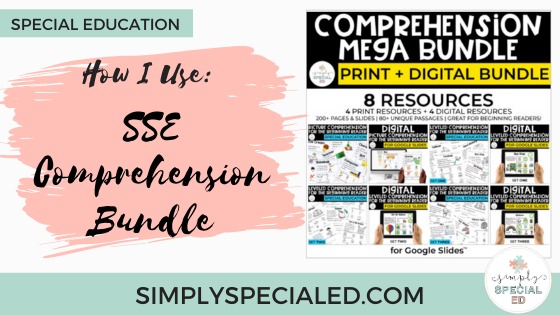
image showing a bundle of comprehension activities
Tiffany has a great blog post about incorporating these digital activities into the classroom.

For Fun (that’s also learning)!

SENict is an amazing website to use on the Tap-It. I use this often to help students learn to engage in activities. They have many activities you can download. You can choose the mode of input (for a touch screen I just choose touch). We use music themed activities often. The music stops and a large switch is displayed letting the student know they need to touch the screen to get more music. The students love these games and they are learning at the same time. 

Home
This is one of my favorite absolute websites to use!

These are my favorite ways to use the Tap-It in the classroom. It’s definitely used everyday in our class in so many different lessons. Thank you for reading about 3 ways to use the Tap-It.

Do you have access to a Tap-It? If so, how do you use it? 

Stephanie, Multiple Disabilities Elementary

Related Posts:

  • Image of a teacher using technology to display contents of his lesson.
    Three Ways I Use Technology During Morning Meeting
  • puxxle-2
    10 Ways to Promote Learning through Play
  • Promoting independent sitting
    5 Ways to Promote Independent Sitting
Share
Pin


« Back to School Night as a Related Service Provider
Schedules in The Multiple Disabilities Classroom »
Hi amazing teachers!
I'm Alyssa Shanahan -- a former Elementary Special Ed & Life Skills teacher. My classroom focus was always to keep things simple, increase communication, and build independence. Simply Special Ed's goal is to help teachers and students reach their full potential in and out of the classroom!

Sign up to receive exclusive tips,
free resources, and more!

Recent Posts

7 Systems Every Self-Contained Classroom Needs

How to Run Centers in a Self-Contained Classroom (Without the Chaos)

Self-Contained Classroom Setup: What to Do First (Before Students Walk In)

How to Make Your Para’s Life Easier

5 Meaningful Inclusion Support Strategies

All About LRE

Copyright © Simply Special Ed 2026 · Design by Fancy Girl Design Studio

Copyright © 2026 · Simply Theme on Genesis Framework · WordPress · Log in

We use cookies to ensure that we give you the best experience on our website. If you continue to use this site we will assume that you are happy with it.